
WhatsApp template pending
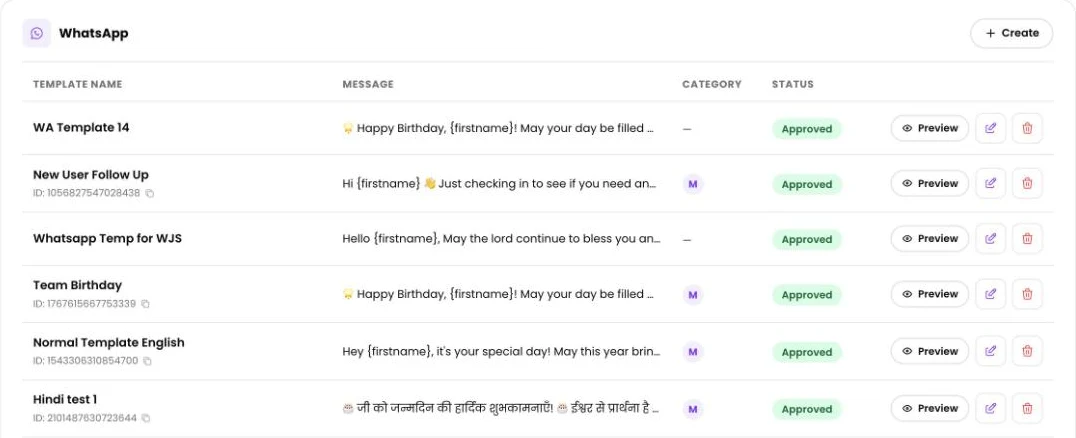
Every WhatsApp template has to be approved by Meta before PeopleWisher can send it. While Meta reviews it, the template shows Pending approval, and you can’t use it for sending yet.
How long does it take?
Section titled “How long does it take?”Usually a few minutes, sometimes up to 20 minutes. Occasionally Meta takes longer, up to 24 hours.
PeopleWisher checks with Meta every 5 minutes. When you’re sending from Quick send or a campaign, you’ll see Waiting for Meta to approve “{template}” and can click Check now. As soon as it’s approved you’ll see Approved by Meta and ready to send.
While you wait
Section titled “While you wait”- Your other channels (email, SMS) keep working as normal.
- If a celebration is due before approval, consider switching on email for the group so nobody is missed.
- Don’t submit the same template many times. Each new submission starts a fresh review.
If it was rejected
Section titled “If it was rejected”The template shows Rejected. Hover over the status (or read Reason: in Quick send) to see Meta’s reason. Then:
- Open Template in the left menu and edit the WhatsApp template. In Quick send or a campaign, click Edit it in Templates.
- Fix the problem and save. You’ll see WhatsApp template update submitted — Meta will re-review it.
Common reasons and fixes:
- Too promotional: remove discount codes, prices and “buy now” wording. A warm greeting is approved faster.
- Placeholders in the wrong place: don’t start or end the message with a placeholder like
{firstname}, and don’t put two placeholders side by side. - Spelling or formatting issues: check for typos, too many emojis or ALL CAPS.
- Image header missing: if you attach graphics, the template needs an image header.
Paused or disabled templates
Section titled “Paused or disabled templates”Meta can pause or disable a template if people block or report it. Create a new, more personal template and use it in your group schedule instead.