
Contact support
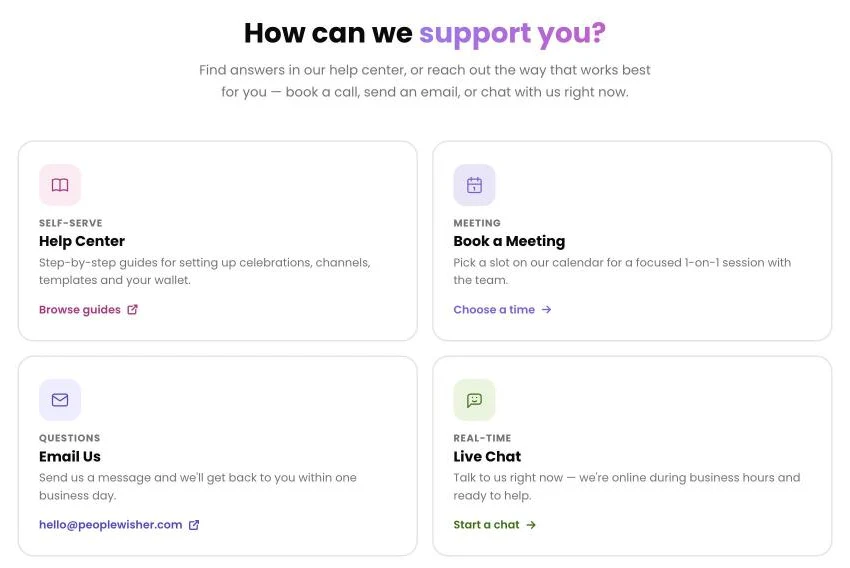
We’re happy to help. In the PeopleWisher app, click your name and choose Help & support to see every option, including a link back to this help center. Or choose whichever is easiest below.
Send a message to hello@peoplewisher.com. We usually reply within one business day.
Live chat
Section titled “Live chat”In the PeopleWisher app, click your name and choose Chat with us. You can also open Help & support and click Start a chat on the Live Chat card. We’re online during business hours.
Book a meeting or demo
Section titled “Book a meeting or demo”Open Help & support in the app (click your name, then Help & support) and click Choose a time on the Book a Meeting card. Pick a slot for a one-to-one session with the team.
Help us help you faster
Section titled “Help us help you faster”When you contact us, please include:
- The email address you use to sign in.
- The group or person affected.
- What you expected to happen and what happened instead.
- Any message shown on screen. A screenshot is perfect.
- For a greeting that didn’t arrive: the date and the channel (email, SMS, WhatsApp…).